
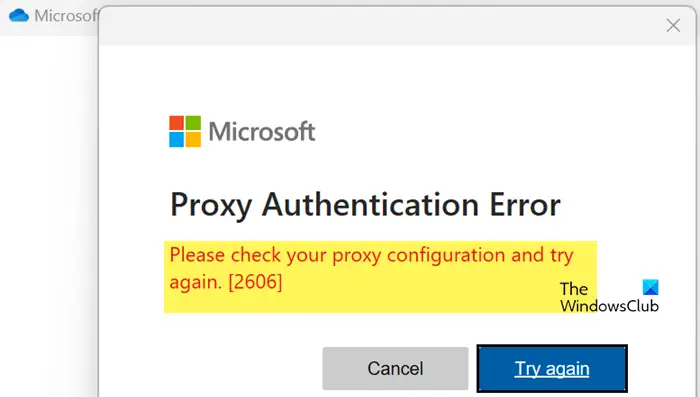
Wed Sep 11 09:38:18 UTC 2024: ## OneDrive Proxy Authentication Error 2606: How to Fix It
OneDrive users may encounter the frustrating Proxy Authentication Error 2606, which prevents them from logging into their accounts. This error is usually caused by network glitches or incorrect proxy configurations.
TheWindowsClub offers a comprehensive guide to resolve this issue:
**Troubleshooting Steps:**
1. **Network Reconnect:** Disconnect and reconnect to your internet network.
2. **Network Switch:** Try a different network connection.
3. **VPN/Proxy Check:** If using a VPN or proxy, disconnect or disable them.
4. **Network Protocol Reset:** Reset network connectivity rules and the Winsock protocol:
– Open Command Prompt as administrator.
– Execute the commands: `netsh winsock reset` and `ipconfig /flushdns`.
– Reboot your computer.
5. **OneDrive Reset:** Reset OneDrive to its factory settings to re-establish connections.
– Open OneDrive settings and select “Reset OneDrive.”
6. **Account Disconnect/Reconnect:** Disconnect your OneDrive account from your device and then reconnect it.
7. **Microsoft 365 Repair:** Repair your Microsoft 365 or Office installation.
– Open “Control Panel” and select “Programs and Features.”
– Right-click on Microsoft 365 or Office and select “Repair.”
– If the error persists, perform an “Online Repair.”
8. **Contact Microsoft:** If all else fails, contact Microsoft support for further assistance.
**Additional Tips:**
* **Disable Proxy:** Disable any proxy server if enabled.
* **Network Switch:** Consider switching to a different network (e.g., mobile data).
**Key Takeaways:**
* The Proxy Authentication Error 2606 is typically linked to network issues or incorrect proxy configurations.
* A series of troubleshooting steps are available, ranging from simple network resets to more advanced solutions like OneDrive and Office repairs.
* If all else fails, contacting Microsoft support is recommended.
**Author:** This article was written by Yusuf, a technical writer with expertise in troubleshooting Windows and various programming languages.
 First Piper